Friday, September 25, 2026
Sharper Research, Better Tracking: What's New in Scorecards and Tags

This week we shipped two updates that customers asked for: more control over how scorecards research your leads, and tags for contacts and companies that sync to your CRM. One helps you research each account at the depth it deserves. The other helps you see what's working.
Scorecards: research that fits the account
Every lead in a Strama campaign is researched and graded against a scorecard, and the emails are written from that same research. Until now, every scorecard researched every lead the same way. A 50,000-person enterprise got the same treatment as a 20-person startup.
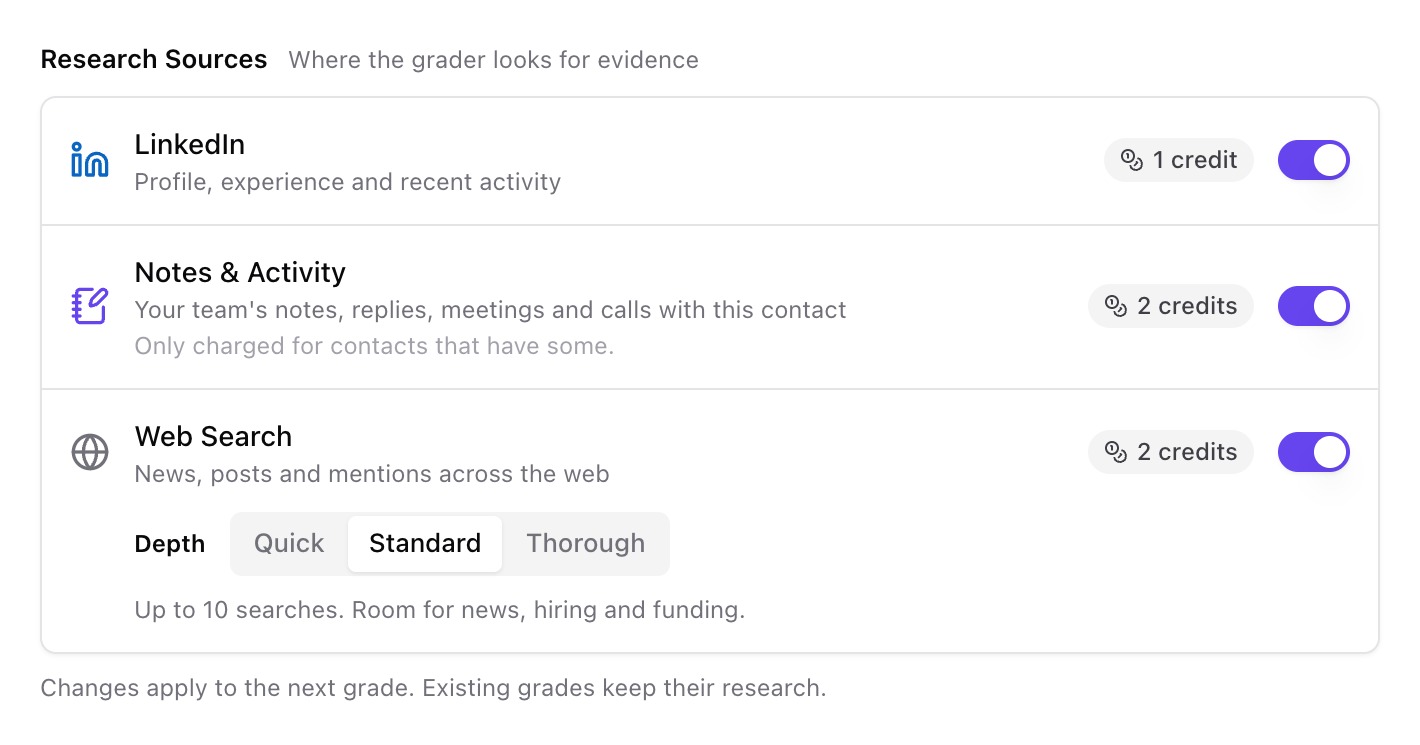
Scorecards now have Research Sources, so you choose where the grader looks for evidence and how deep it goes.
New source: Notes & Activity
Your CRM already holds a lot of what matters about an account: past replies, meeting notes, logged calls, open or lost deals. Scorecards can now read it. When Notes & Activity is on, Strama pulls the facts that relate to your criteria from your team's history with that contact or account and cites them in the research as internal context.
Why this matters:
- Reps stop starting from zero. When you reach back out to a closed-lost account or a prospect who went quiet last quarter, the grade and the message reflect that history. You won't send an intro email to someone your team already had three meetings with.
- Grades reflect what you know, not only what's public. Some of the most useful signals, like who owns the budget or what objection stalled the last deal, never show up on LinkedIn or a website. Your team has already written them down.
- You only pay for it when it's useful. Notes & Activity is charged only on records that have history, so a list of net-new leads costs nothing extra.
Web Search depth: Quick, Standard, or Thorough
Web search now has three depths:
- Quick covers a small set of searches. It works for high-volume lists where a profile and a company website answer your criteria.
- Standard, the default, leaves room for news, hiring, and funding signals.
- Thorough plans its searches around your criteria before running them and digs much deeper. It's built for complex organizations where the right answer is buried under divisions, subsidiaries, and press releases.
Now you can match research effort to deal size. An enterprise team working a short list of strategic accounts can run Thorough and get the whole picture. A BDR team working hundreds of mid-market or SMB companies with simpler public footprints can use Quick or Standard and put the savings toward more leads. Because research depth belongs to the scorecard, you can run both in parallel: one scorecard for your top-tier accounts and another for volume.
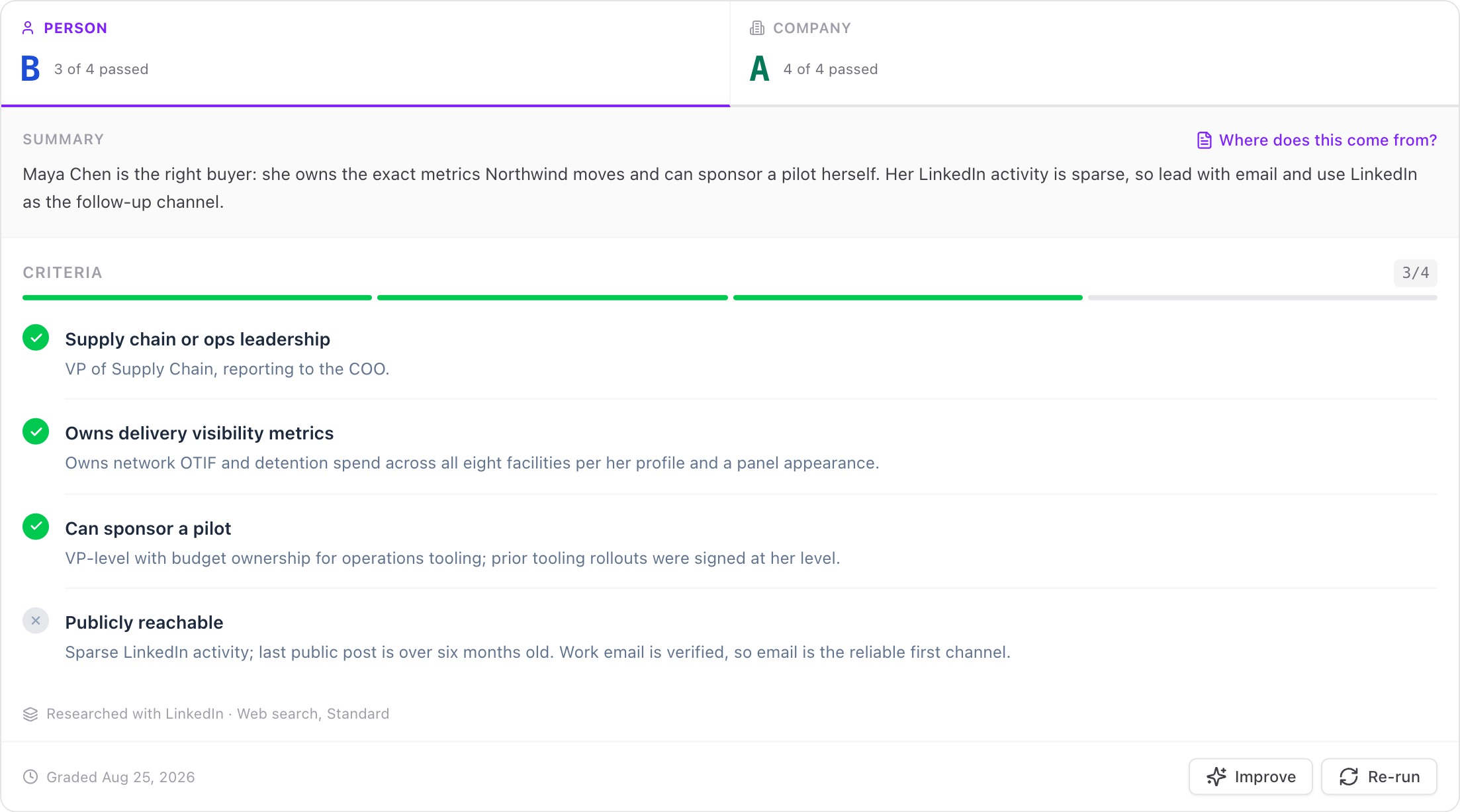
Every grade shows which sources it was researched with, so you always know how deep a given verdict went.
For SDRs and BDRs: better research on the accounts that need it, which means more specific emails and fewer grades marked "couldn't verify."
For sales managers: one setting that controls research cost per record, so spend follows the value of the list.
Tags: label anything, track everything
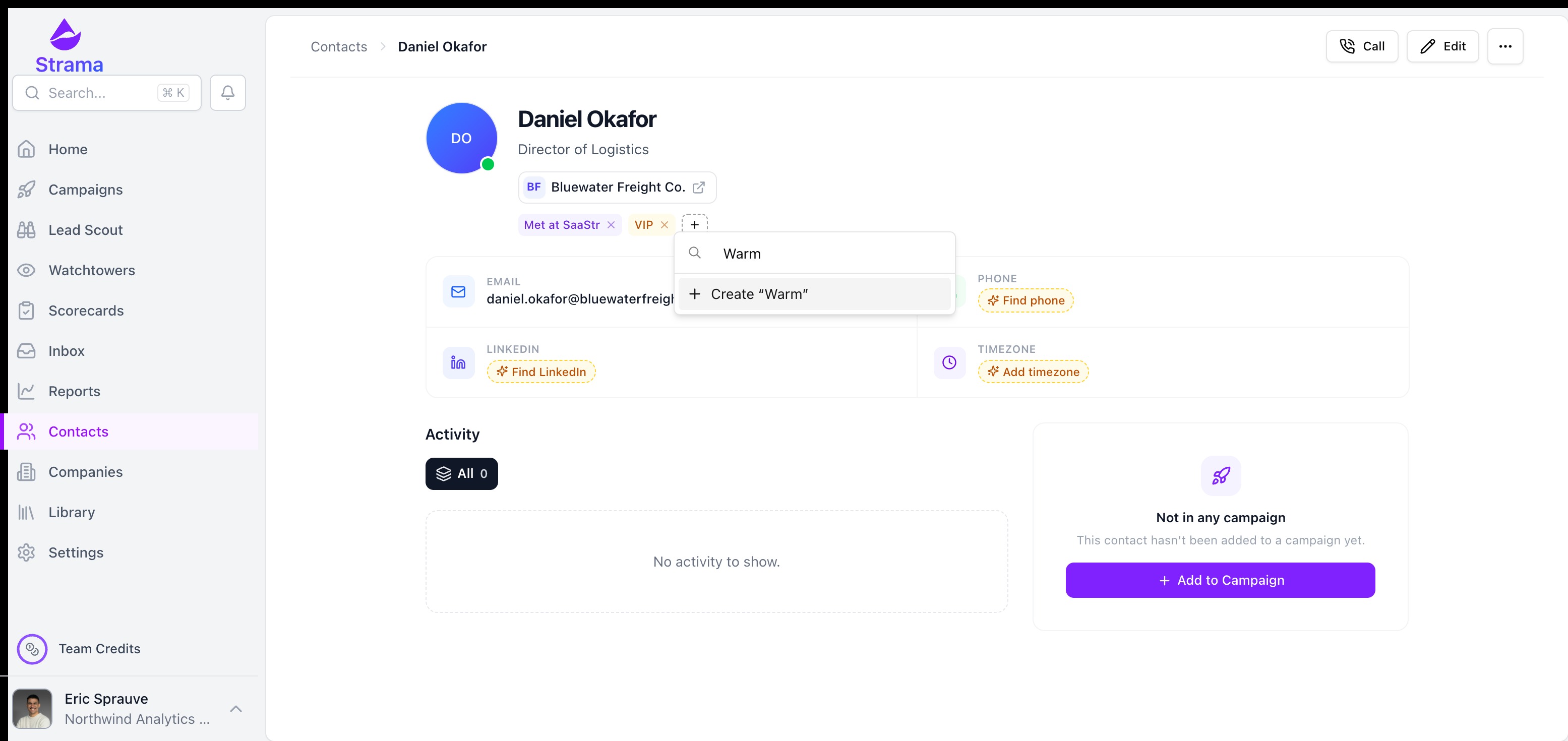
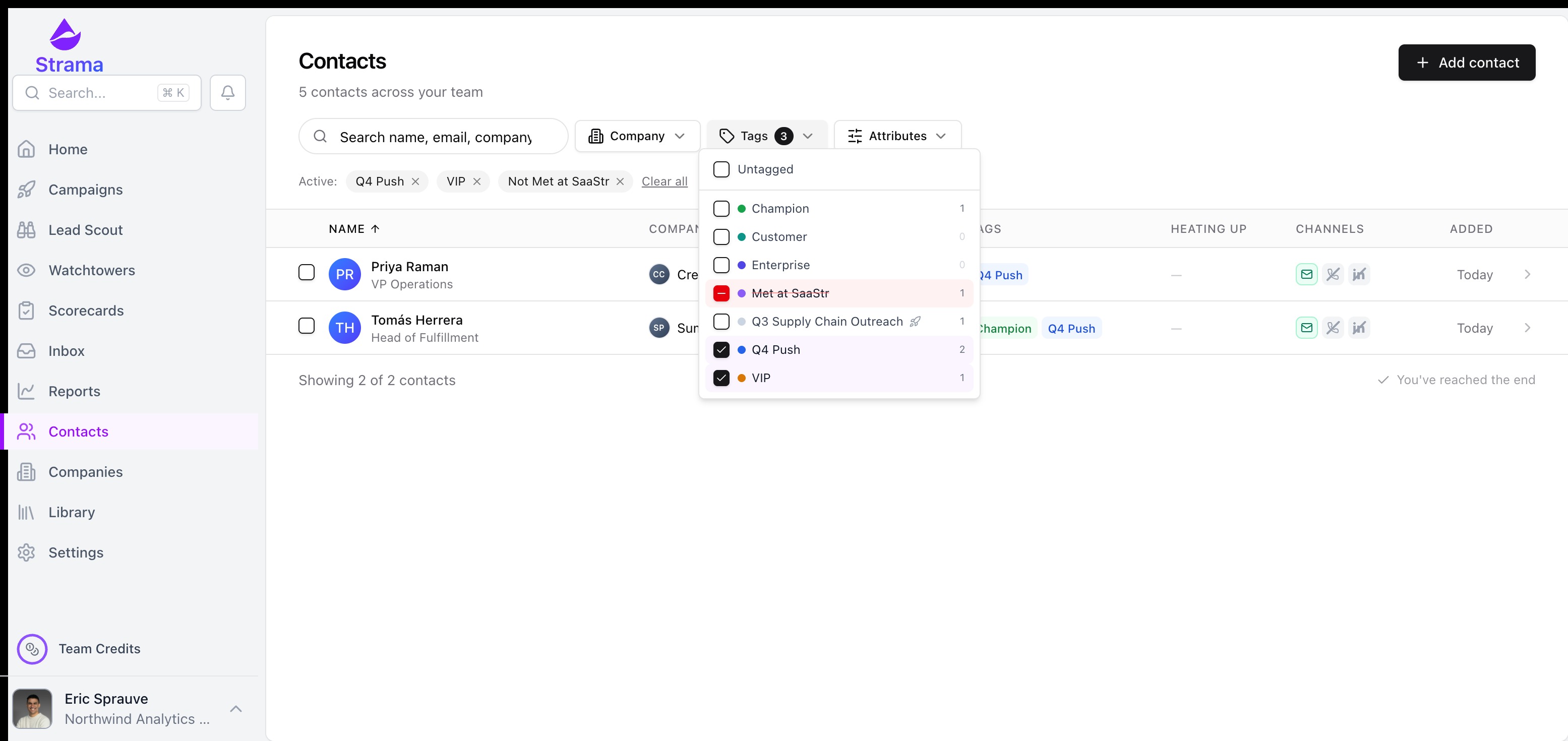
Tags are short, free-form labels like VIP, Q4 Push, or Met at SaaStr that anyone on your team can add to contacts and companies. Add them one at a time from a contact or company page, in bulk from the Contacts and Companies lists, or from a sequence's Profile tab without leaving the conversation. Filter by any combination of tags, and exports include them.
The real value is in what tags let you measure.
Auto-tag by campaign
Turn on one setting, and each contact gets tagged with the campaign's name when their sequence starts. When you first switch it on, Strama can also go back and tag contacts from campaigns that already ran, so your history counts too.

Now every contact carries a record of which campaigns reached them. That answers questions that used to take a spreadsheet and an afternoon:
- Which campaign produced the meetings that turned into pipeline?
- Which message or angle actually worked with this segment?
- How many of this quarter's opportunities trace back to outbound?
Track personas, segments, and plays
Tags are free-form, so they work with how your team already thinks. Tag contacts by persona (Economic Buyer, Champion, Technical Evaluator) to see which roles engage and convert. Tag accounts by tier, territory, event, or play. Then compare: are VPs of Ops replying more than Directors of IT? Do event leads book faster than cold ones?
Tags in your CRM
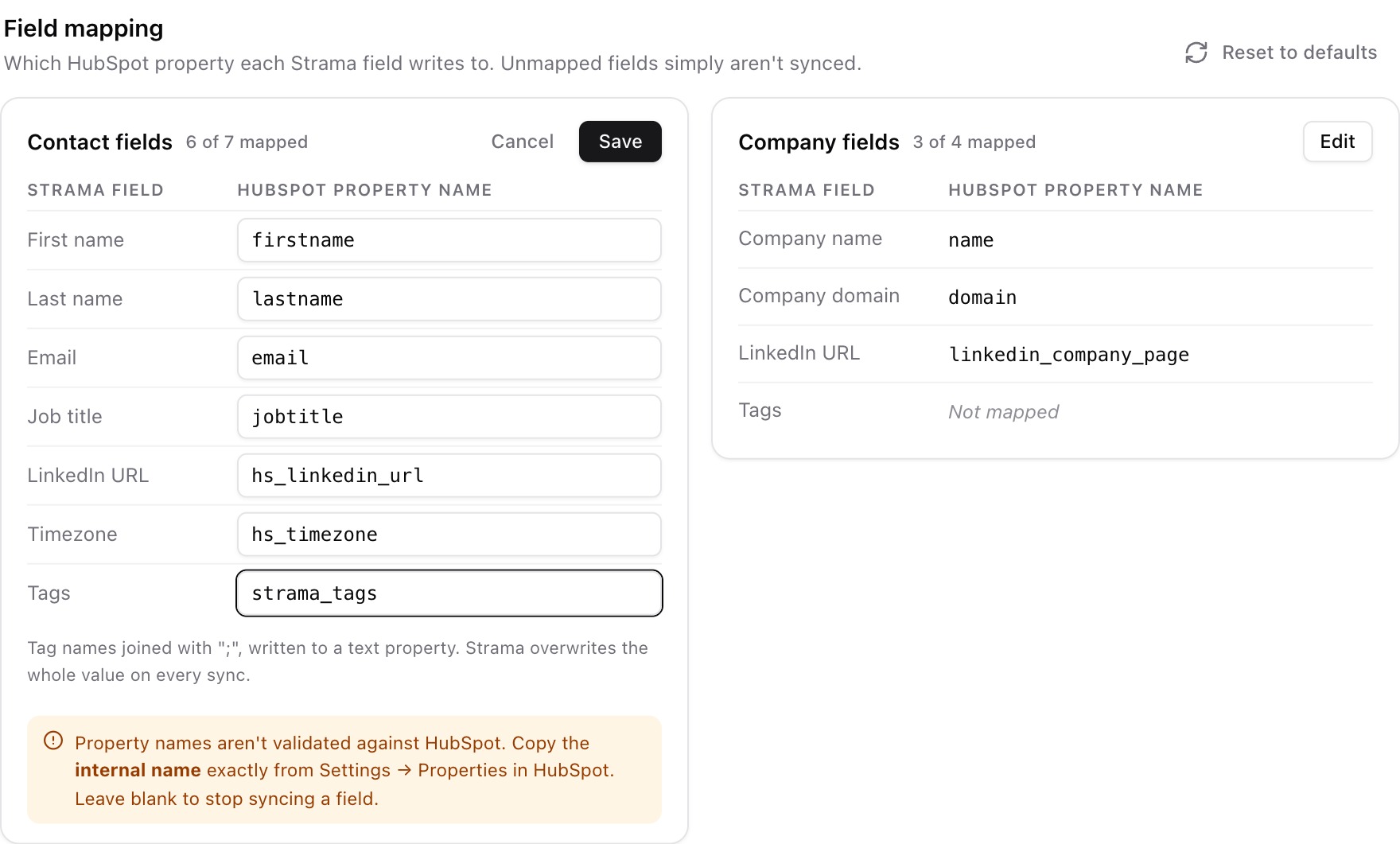
Map Tags to a text property in HubSpot or Salesforce, and Strama keeps it updated whenever tags change. Your campaign and persona labels land next to your pipeline data, so you can build reports and dashboards in the CRM your leadership already uses. You don't need to export anything or match records by hand.
For reps: a quick way to mark what matters (warm, champion, follow up after the event) and filter back to it later.
For SDRs and BDRs: proof of which campaigns and personas produce meetings, so you can double down on what works.
For sales managers: campaign and persona attribution in your CRM, ready to report on pipeline, without asking reps to tag anything by hand.
Get started
Both updates are live now. Existing scorecards keep their current research settings until you change them; open any scorecard and check its Research Sources section. For tags, turn on campaign auto-tagging under Settings, Team, and map Tags under Settings, CRM to start sending them to your CRM.
For the full walkthroughs, see How scorecards work and Tagging contacts and companies.